Student Profile
Advisors can view student information on a student's profile page in Stellic. Navigate to the Student's tab on the left menu.
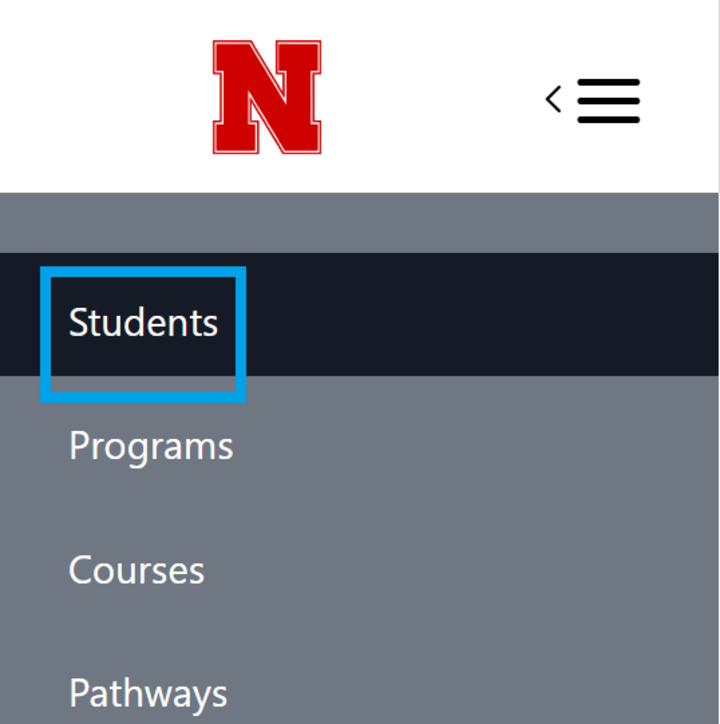
Using the search and filter options, find the student you wish to view. Click on that student to bring up their Student Profile.
Student Profile View
The top of the student profile shows basic information, including:
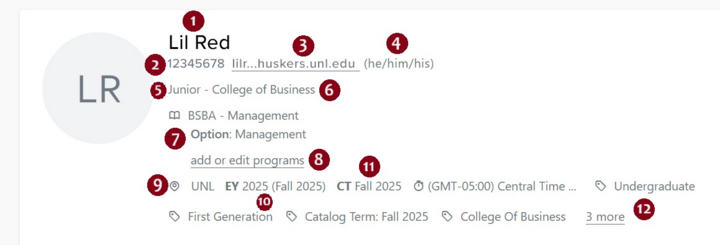
- Preferred Name
- NUID
- Huskers.unl.edu email address
- Pronouns (if indicated in a student's MyRED)
- Class level
- College
- Programs
- Students who are in more than one program will have a 'Dual Matriculation' tag*
- An option to Add or Edit Programs
- Campus
- Entry Year and Term
- Catalog Term
- Any Tags (Ex. Professional Admission to Engineering)
The second half of the screen shows additional information:
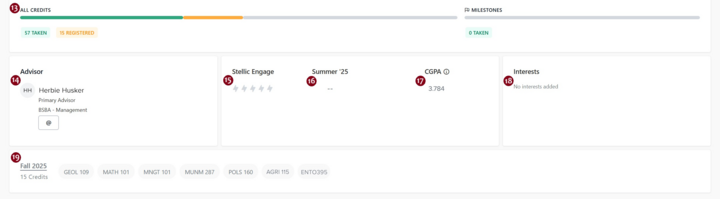
- Program Progress & Milestones Snapshot
- Advisor
- Stellic Engagement
- Previous Term GPA
- Cumulative GPA
- Interests
- Current Term Enrollment
The above all together on the screen appear as so.
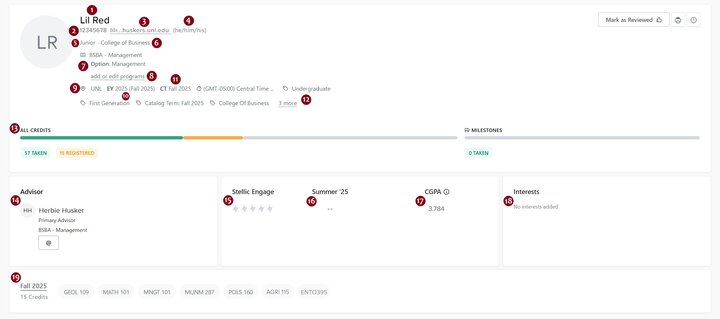
For more information on any of the items you see above, please refer to our other tutorials and/or FAQ pages.