Planned Filter
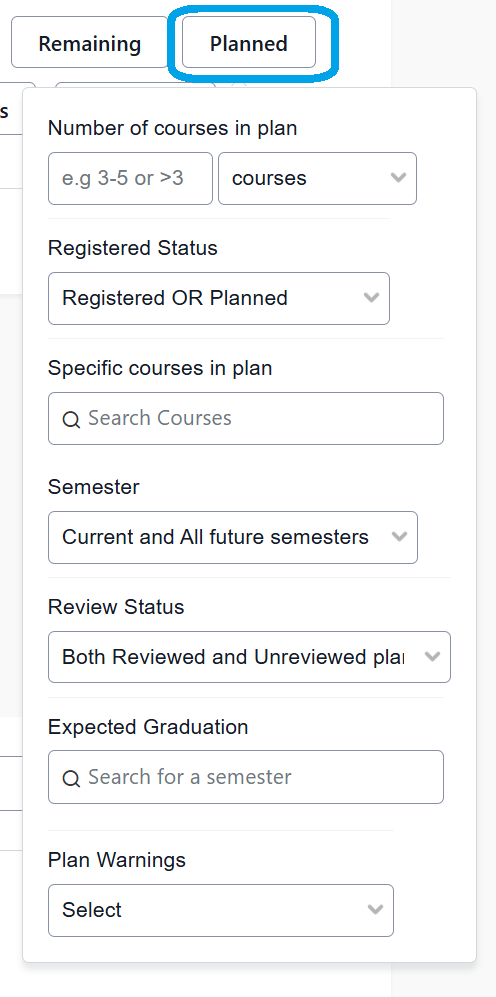
Advisors can identify students based on their registered and/or planned courses. The fields include:
- Number of courses (or credits) in plan: in progress or planned
- Registered Status: registered, planned, or both
- Specific courses in plan: one or more courses
- Semester: current and/or future semester
- Review status: not used by UNL
- Expected graduation: term student applied for graduation
- Plan warnings: planned courses with potential registration issues
Not all filters in Planned can be combined. Below are some useful combinations of the filters in Planned:
- 1) Registered Status of Only Planned with 2) Specific Courses in Plan with 3) Semester: This combination will return the list of students planning to take a specific course in a specific semester.
- 1) Registered Status of Only Registered with 2) Specific Courses in Plan with 3) Semester: This combination will return the list of students registered to take a specific course in a specific semester.
- 1) Registered Status of Registered OR Planned with 2) Specific Courses in Plan with 3) Semester: This combination will return the list of students who have either registered for or planned a specific course in a specific semester.
- 1) Plan Warnings of At least one or more warnings with 2) Advisor Filter: Students with this Advisor (yourself): Returns all of your assigned advisees whose Plans need attention. This could be due to having sequential courses out of order, a semester overload, or other registration issues.