Status Filter
The Status Filter can be used to adjust selections based on archived or enrollment statuses.
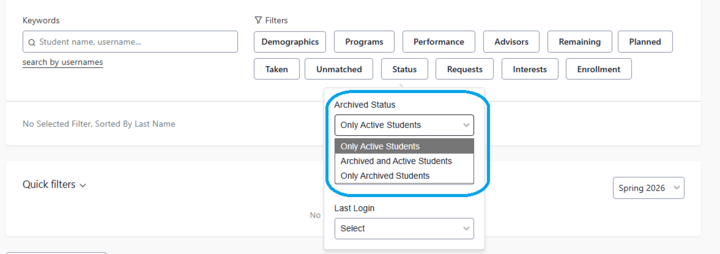
- Archived status : Include/limit to student records that are in archived status. Students who have graduated are archived after one semester following their graduation. Dismissed students are archived after two semesters following their dismissal. Students who stop enrolling are archived once their matriculation is closed. Once a student is archived, their record in Stellic will no longer be updated from Peoplesoft. Archived records are in Stellic for 6 months before being removed.
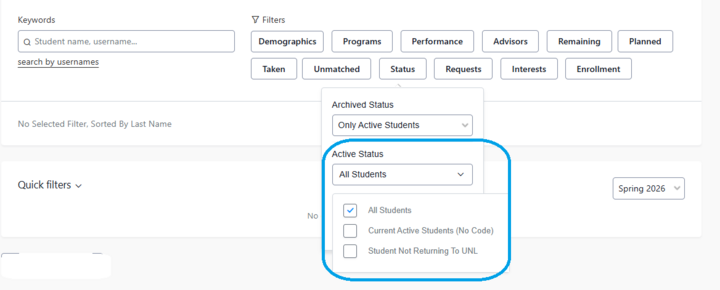
- Active status: Include/limit based on enrollment status. Filter by students not returning to UNL. In the future, additional statuses will be added.
- Last login: Student populations based on their last Stellic login date.
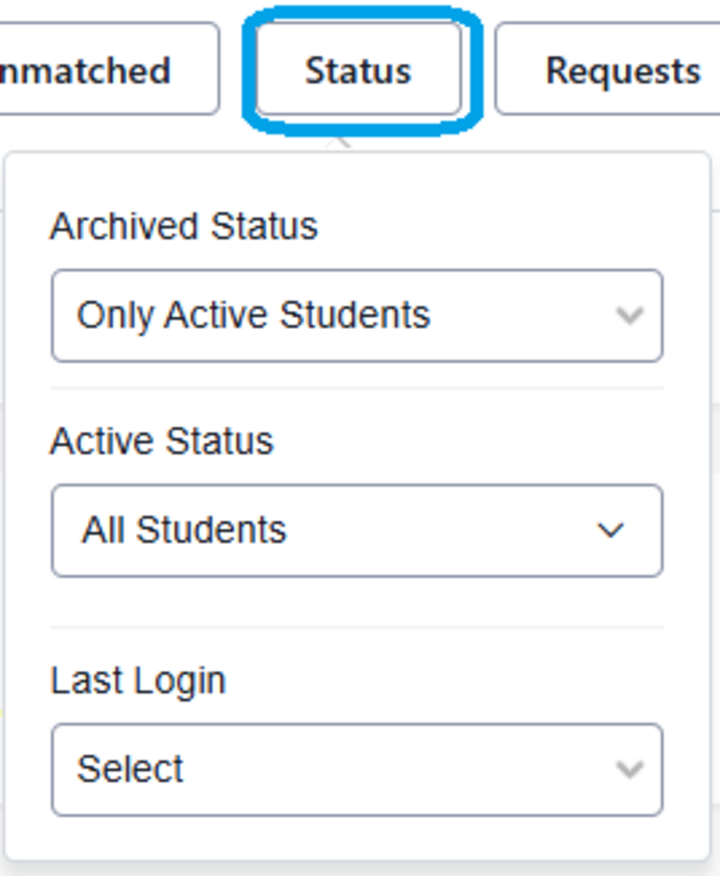
Status Filter Fields
Archived Status: only active, archived or active students and only archived students.
Active Status: all students, current active students (no code), or student not returning to UNL. Current active students (no code) refers to all current students, admits, recently dismissed and registered within the last two terms.
Last Login:
![Screenshot of Last Login dropdown options which are Anytime, Last 3 Days, Last 7 Days, Last 30 Days, Last [X] Period, Not Logged in Yet, or Custom Date Range.](/sites/unl.edu.asem.registrar/files/styles/no_crop_720/public/media/image/Screenshot%202026-01-05%20113357.png?itok=BSFy1utd)