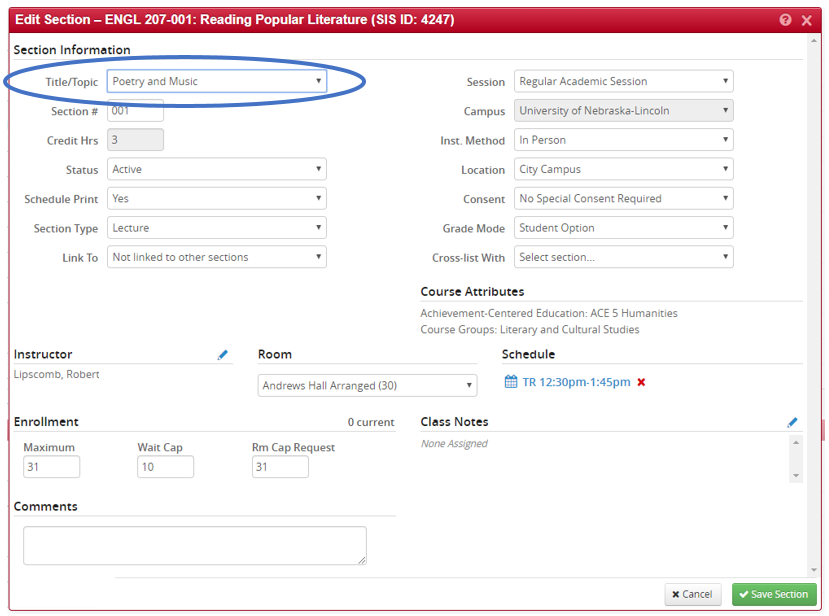
To change the Title/Topic in CLSS, open the appropriate section as normal and click the drop down box next to the Title/Topic field.
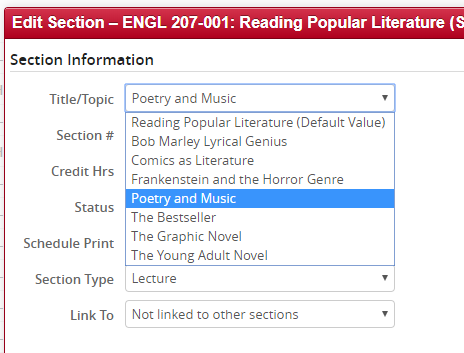
All previously used and created Titles/Topics will be listed. Choose the appropriate title.
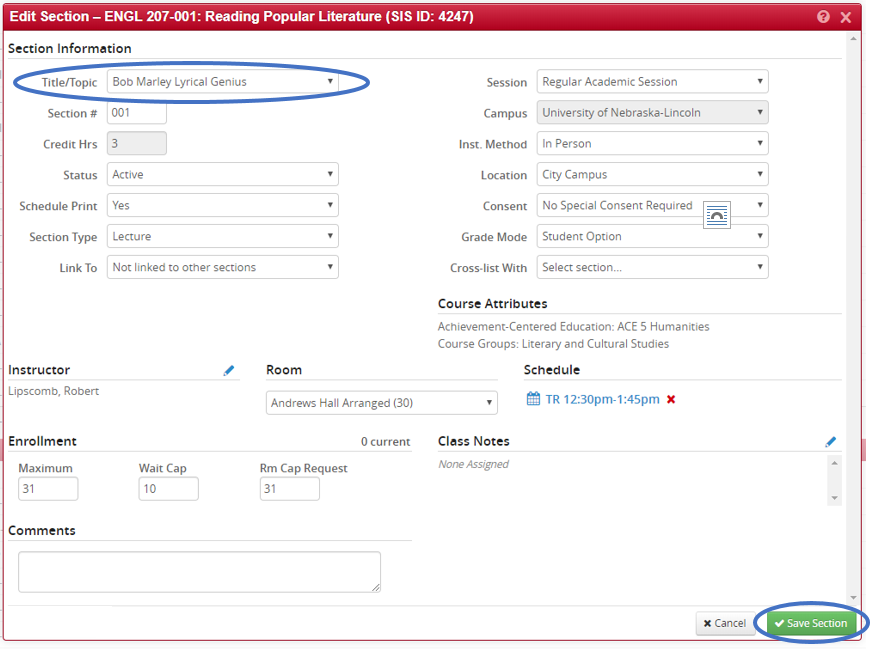
After choosing the appropriate title, the drop down menu will close automatically, and the newly chosen title will be in its place. Click Save Section and initiate workflow.
Title/Topic Option is Not in Drop Down
If the Title/Topic is not in the list in the drop down menu, write it in the Comments box. Click Save Section and initiate workflow. Please note the title will be copied exactly how it is typed.
