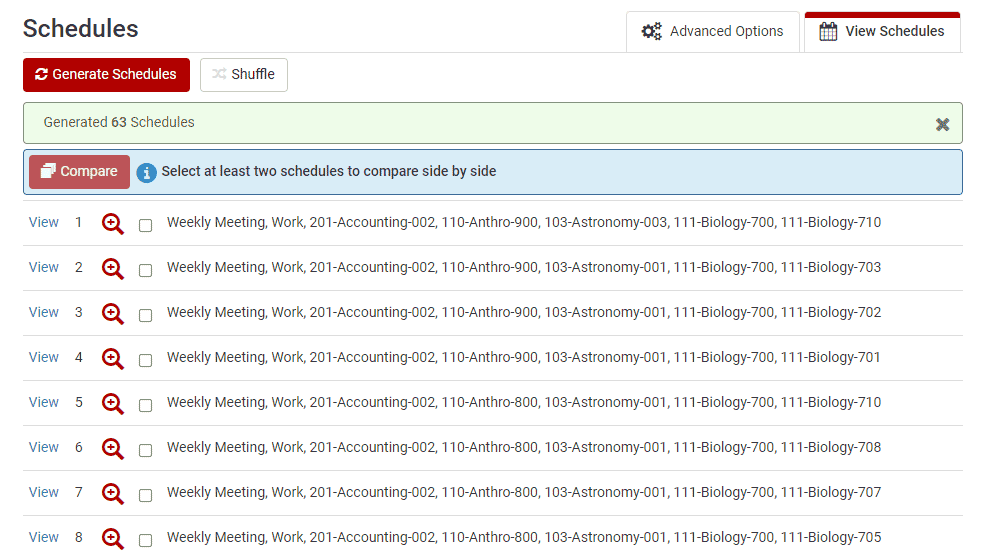
You can generate possible schedules using the Generate Schedules button.

*Please note: Schedules will be generated using all checked courses, sections, and breaks. You can check and uncheck courses, sections and breaks freely, but you must click Generate Schedules after each change is made to regenerate and display accurate results.
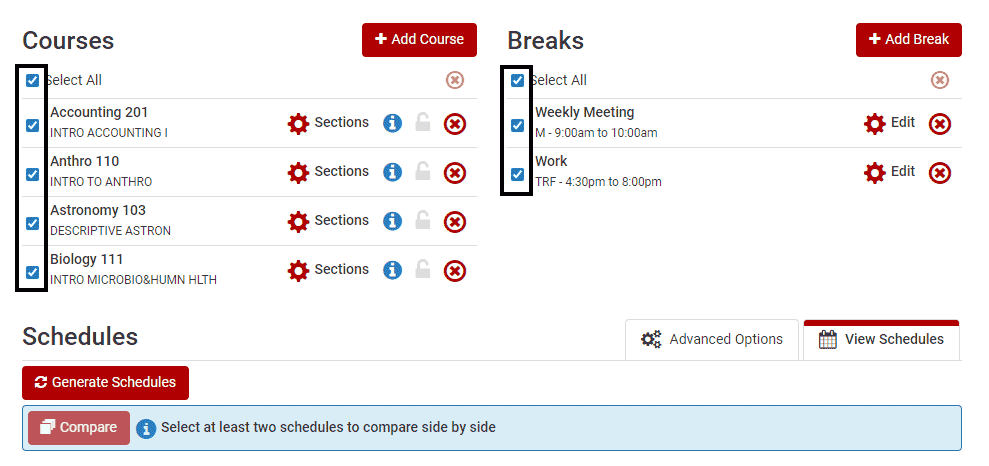
To further customize your schedules, click Advanced Options.

You can add Class Padding time between classes. This feature allows you to ensure a minimum amount of time between all classes in your schedule.

Once possible schedules are generated, you can view and choose your most desired schedule.