Swapping Component Sections
Some courses have a recitation, lab, or other component section that must be taken with it. You can change the section at any point by the last day to add a course for the session per the Academic Calendar - http://registrar.unl.edu/academic-calendar. If you want to see how to swap from an enrolled course into a different one, please see our tutorial at https://registrar.unl.edu/class-registration-tutorials/swapping-enrolled-course-another-course-stellic-scheduler/.
Navigate to the Stellic Scheduler (https://registrar.unl.edu/class-registration-tutorials/accessing-stellic-scheduler/). Once there, click the tile of the course you wish to change under My Courses, which will open up the side panel.
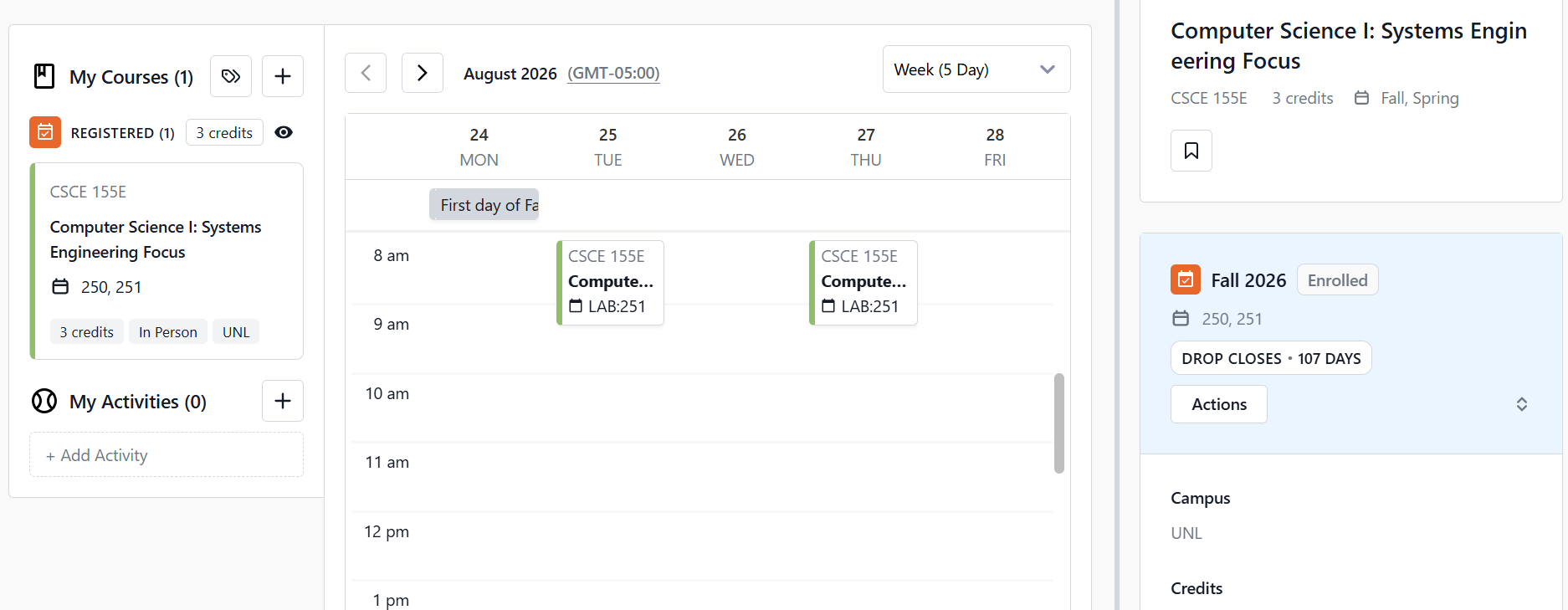
Then click the Actions button.

Select Change Registered Sections.

Scroll down the side panel past the lecture sections to the lab or recitation sections. You will see that the section you are currently enrolled in has a check mark to the left of it. It will also have the details of the class open and be highlighted blue.

Continue scrolling until you find the section you want. If you want to see the details of the new section, you can click the row to open the course details.


Once you decide on which new lab or recitation you want, click the '+' on the left part of the row. It will change to a check mark.


Then scroll down to the bottom of the sections and click the Submit button.

A pop-up box will appear showing the details of your request and ask you to confirm. To proceed with the change, click the Confirm button.

Stellic will process your change.

Once completed, you will get a confirmation box with the information. Additionally, your sections will update under the My Courses panel on the left-hand side.
