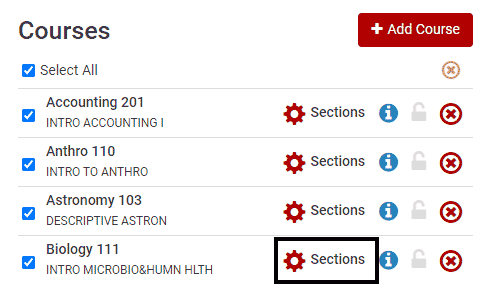
To choose specific sections, click Sections.
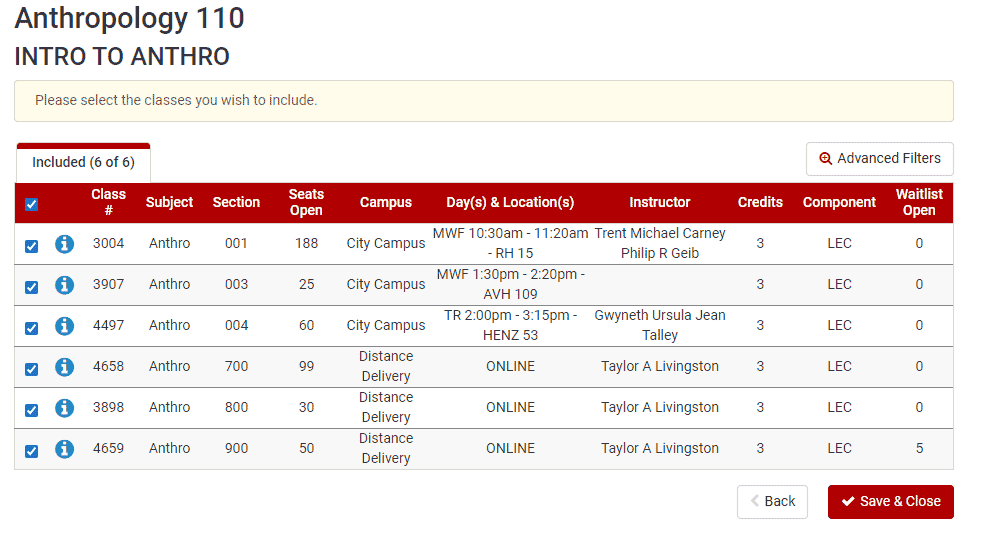
This will display all visible section offerings of the course, and the specific course information including section number, instructor, campus, and class meeting patterns.
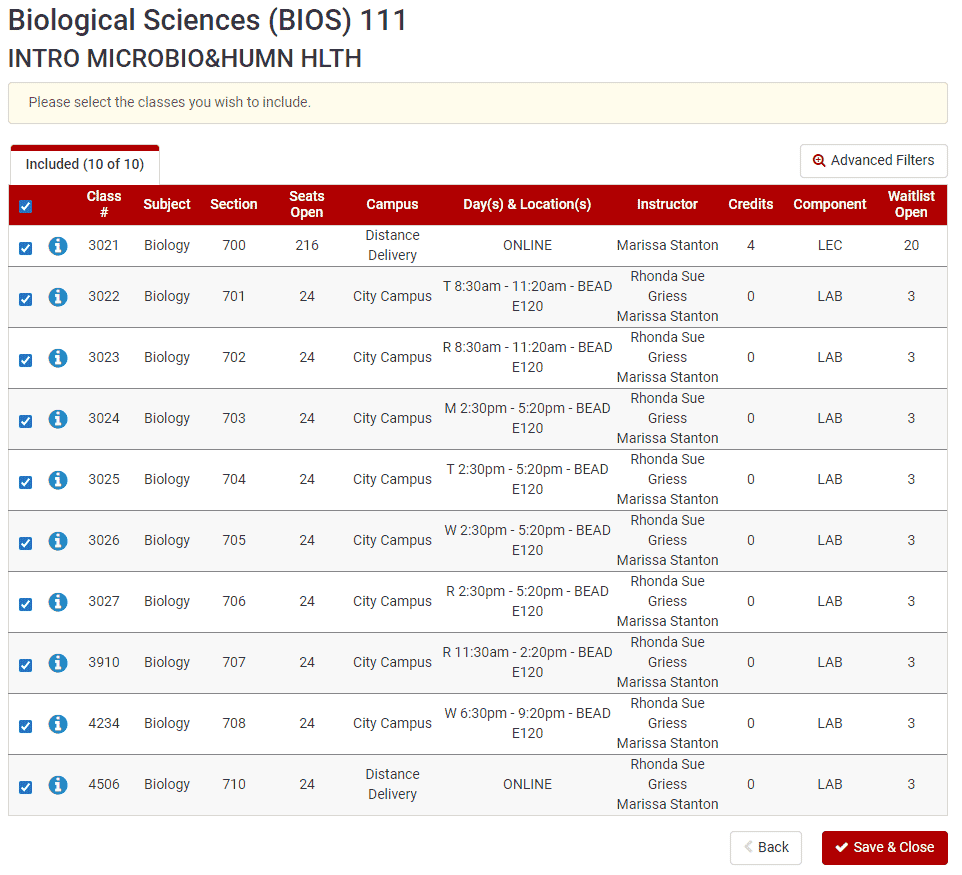
Related sections will be shown underneath the corresponding lecture. Note that they have may have different Campuses and Day(s) & Location(s). For more information about course delivery, see the How to Choose Courses page.
Here is an example of a class with both In Person and Online Distance delivery methods.
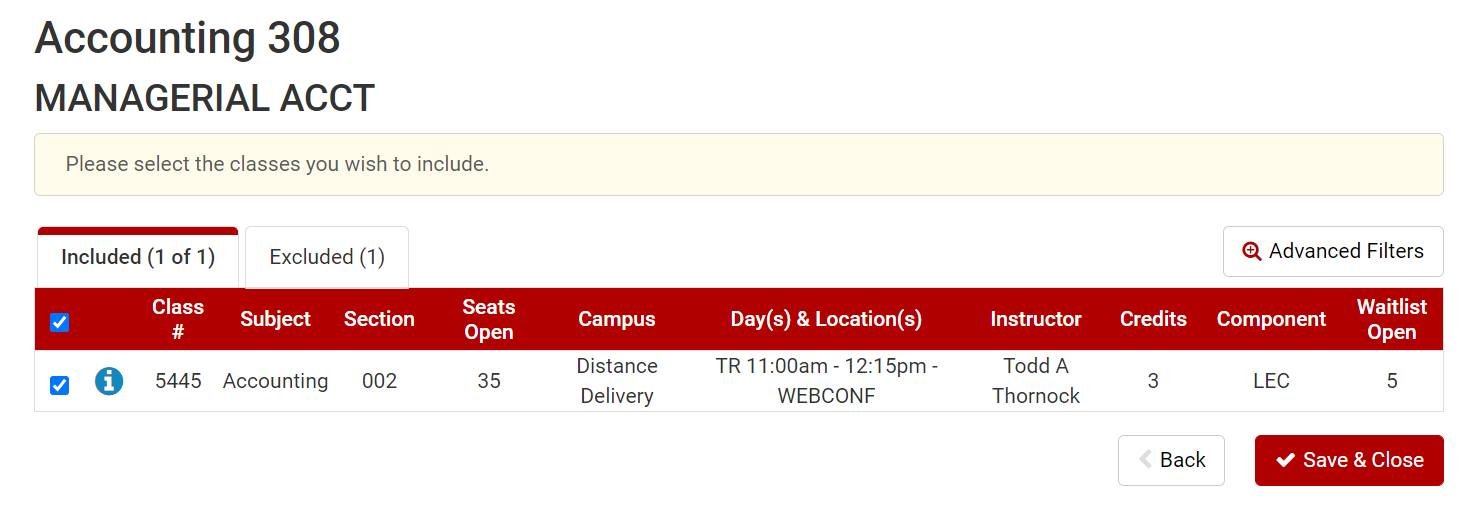
Here is an example of a class with a Web Conferencing delivery method.
Here is an example of a course with related sections that are both In Person and Online Distance delivery methods.
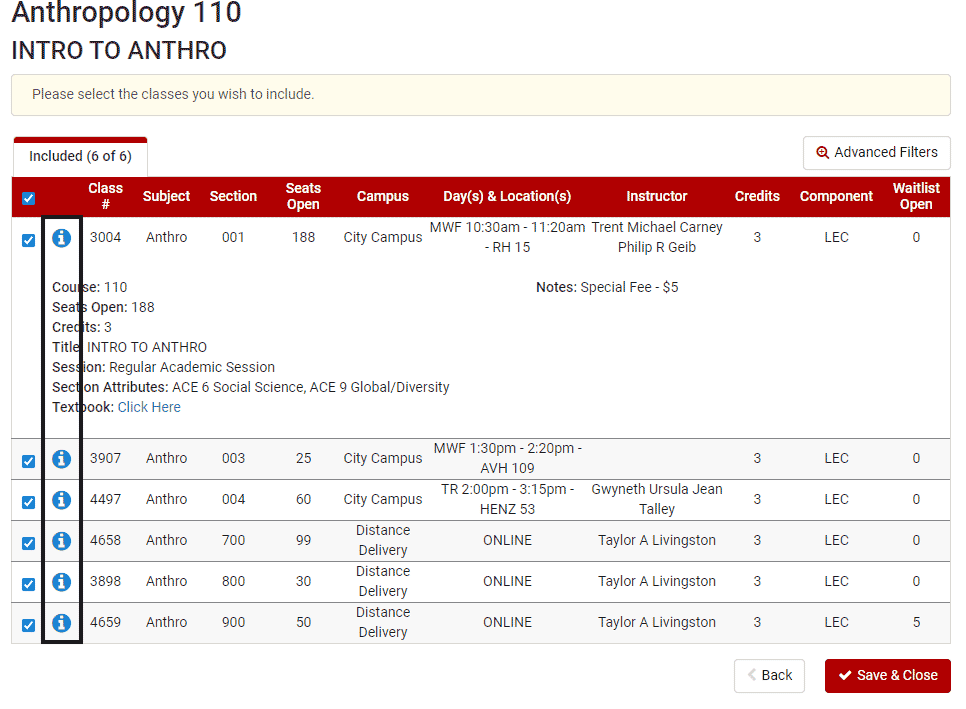
Additional information, including credit hours, number of seats available, session information, and class notes can be found by clicking the blue information icon.
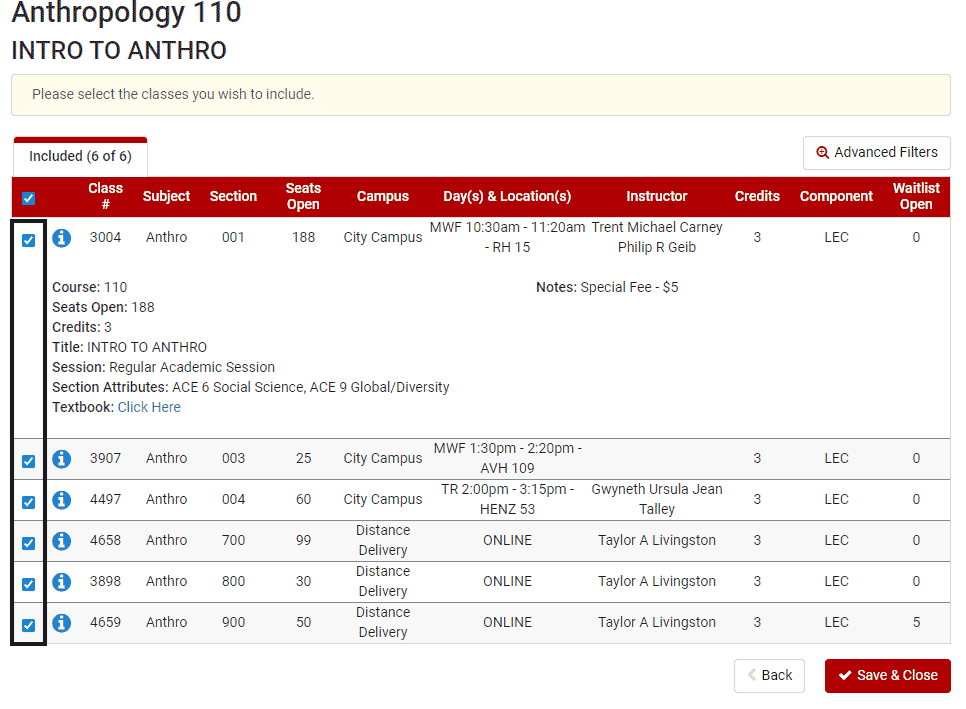
By default, all sections will be checked to be included in the generated schedules. To choose certian sections, check or uncheck the boxes on the lefthand side.
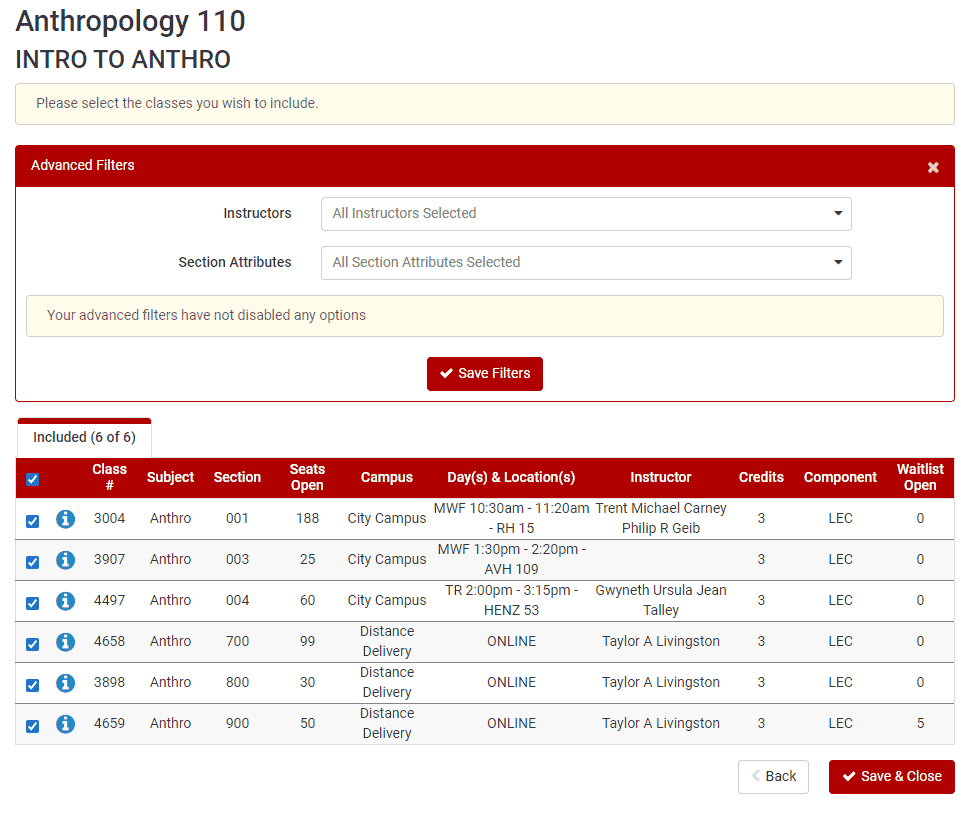
The Advanced Filters option offers another way to filter by Instructor and for Section Attributes.